From knowledge base to qualified champion.
The knowledge base
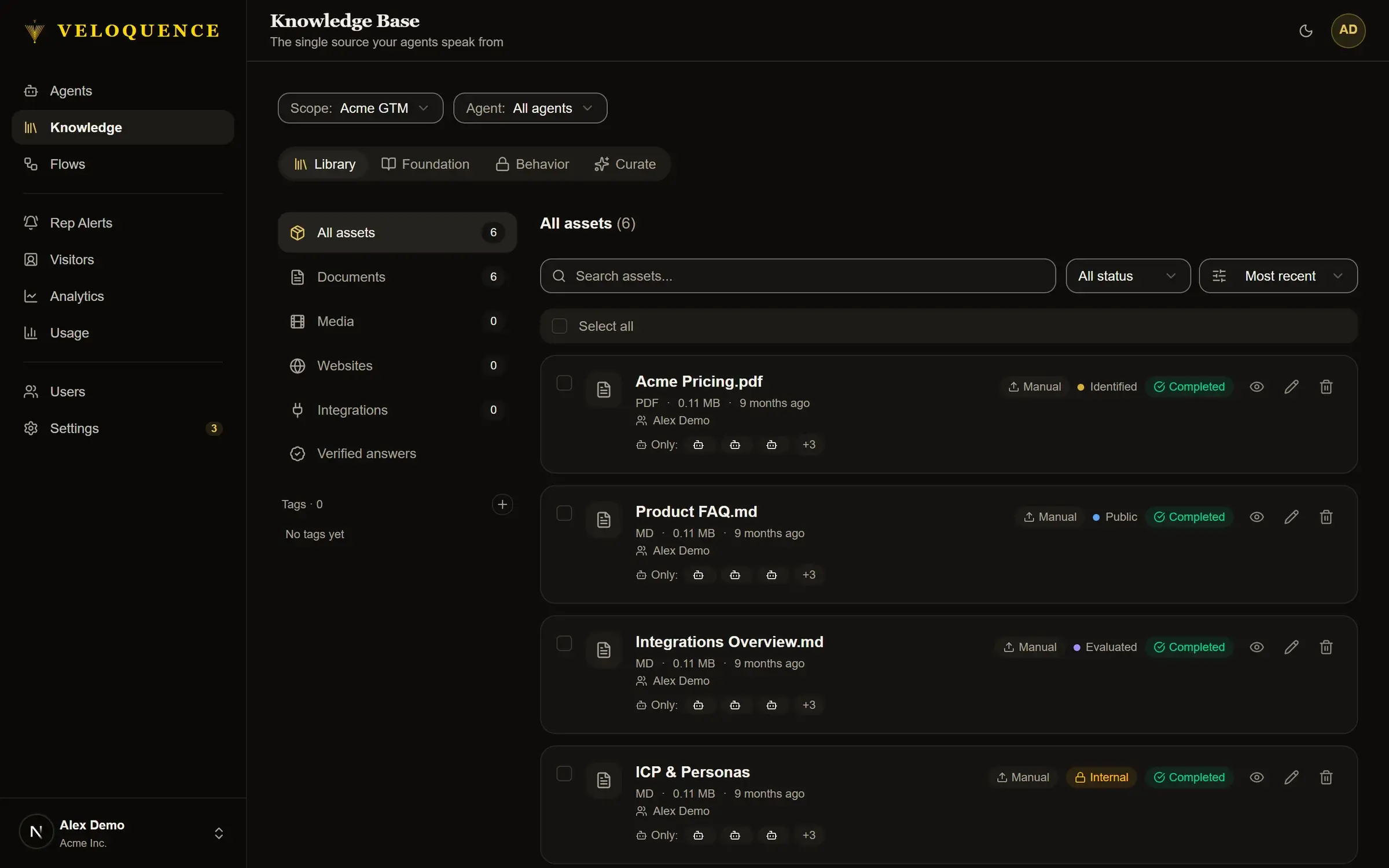
Everything your agents know comes from your knowledge base. You decide what goes in, what gets approved, and who can see it. The agents speak from that and nothing else.
Content enters the KB in multiple ways. You can upload documents directly, crawl your website automatically, or connect your digital content sources. Once content is in, the Curator Agent reviews it, suggests tags, flags anything outdated, and surfaces gaps your agents cannot currently answer.
Access levels control what each visitor can see based on where they are in their journey. Public content is available to anyone. Identified content requires a visitor to have shared their email. Evaluated content is reserved for prospects your team is actively considering. Customer content is for post-close access only. The agent enforces these gates automatically: a visitor cannot see content they are not authorized to see, and every reference is logged.
The agents
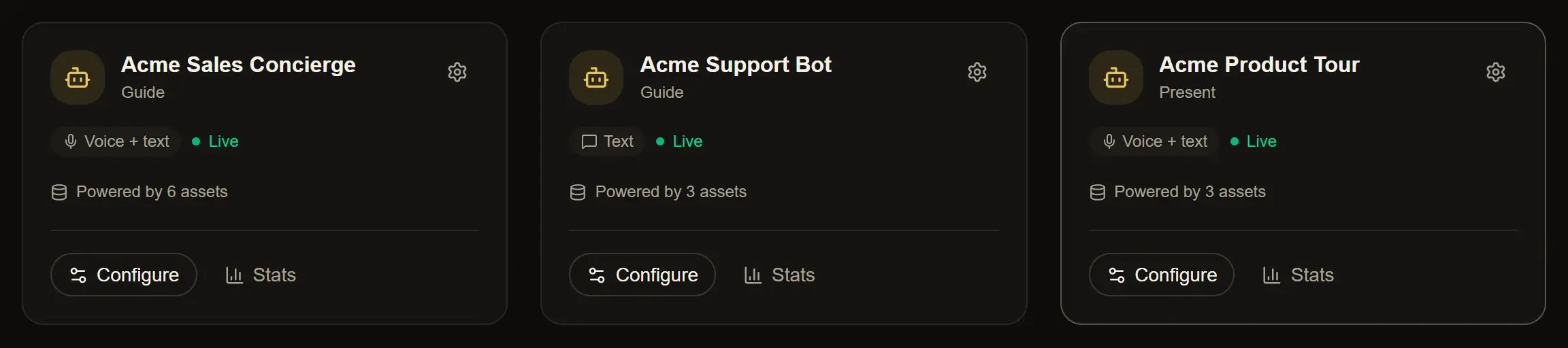
Veloquence runs specialized agents, each built for a specific job in the buyer journey.
Guide qualifies every inbound visitor through real conversation. It adapts to where the buyer is, asks the right discovery questions, and builds a complete picture of who they are and what they need. When the conversation is ready for a human, Guide surfaces the handoff and sends your team a full brief.
Present delivers structured content in a controlled, sequential format following your slide deck. Embed it on a webinar replay page, a conference microsite, or an event follow-up email. Visitors move through your actual slides with Velo narrating alongside them. Questions get answered from the KB and the presentation continues.
Demo runs interactive product demonstrations inside a real provisioned environment. The visitor asks questions, Demo answers and navigates, and your rep walks into the follow-up already knowing exactly what the prospect explored.
Each agent has its own embed code and its own independent flow configuration. When a Guide conversation is ready for a Demo, the visitor receives a signed link that opens the demo environment in a new tab, with full context from the prior conversation carried forward.
The Flow Builder
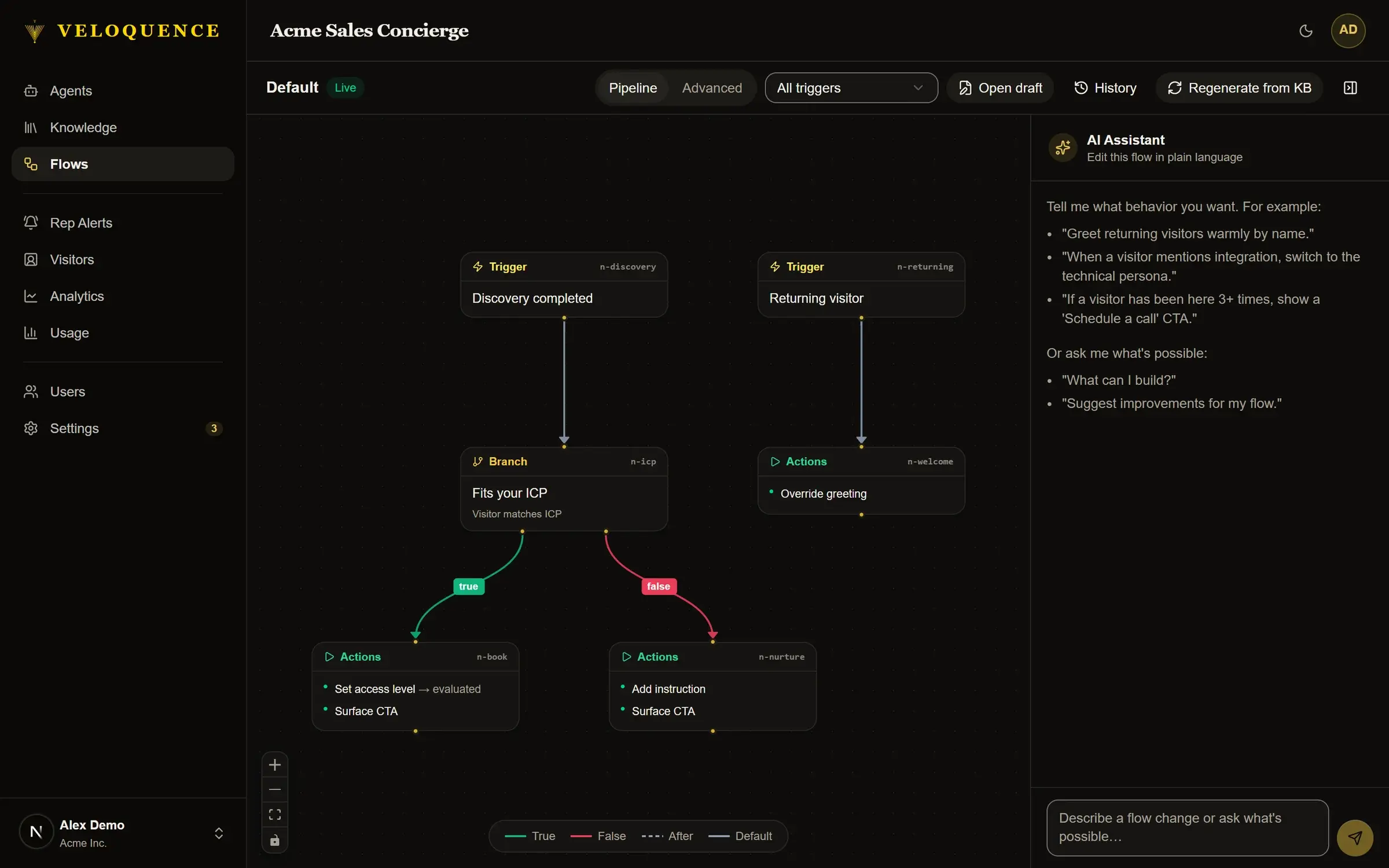
The Flow Builder is where you define how each agent conversation moves. When does Velo ask for an email? When does it trigger a rep alert? What content surfaces at each stage? When does it hand off to your team?
Each agent has its own flow. Guide, Present, and Demo are configured independently. Within each flow, you set the triggers, conditions, and actions that shape the conversation. You also configure the aesthetics: the agent's voice, tone, speaking speed, and avatar. Your agents should sound and feel like your brand.
The Flow Builder is not a scripted decision tree. The agent still reasons in real time. The flow defines the boundaries and the moments that matter, and the agent handles everything in between.
Your buyers are on your site right now.
Give them a real conversation.
21-day free trial. No credit card. CRM-native from day one.